Near-me Google search results matter
If you’re a small business trying to stand out in your city or neighbourhood, there’s one phrase you can’t afford to ignore: “near me.”
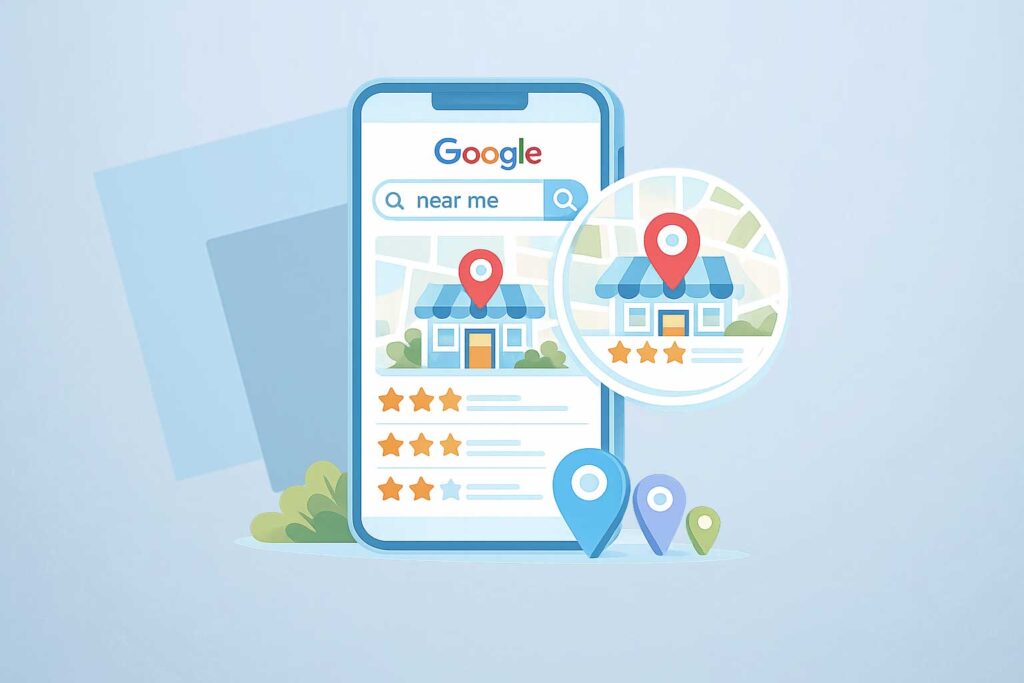
When someone pulls out their phone and types “coffee shop near me” or “hairdresser near me,” Google uses location signals to show businesses that are physically close by. These are called near me Google searches, and they drive some of the highest-intent customers—people who are ready to buy right now.
Searches like “coffee shop near me,” “best accountant in Los Angeles,” or “local web designer” are still very significant in 2026. Google reports that over 50% of mobile searches now have local intent, and that number keeps rising.
The takeaway?
If your business isn’t optimized for local SEO, you’re missing out on customers who are actively looking to buy near you.
This guide will walk you through simple, effective steps to help your business show up first — not fifth — when someone searches locally. Learn how to get your business to the top of Google search for free using local SEO.
What Is Local SEO?
Local SEO (Search Engine Optimization) helps your business appear in search results when people nearby are looking for your products or services.
You’ve seen it in action: the Google Map Pack at the top of search results with nearby businesses, star ratings, and “directions” buttons. That’s local SEO in full force.
Why Local SEO Matters for Small Businesses in 2026
- High purchase intent: Users searching “near me” are often ready to buy
- Mobile-first world: More than 70% of local searches happen on smartphones
- Voice search boom: People now ask their phones “Where can I get X near me?”
7 Must-Do Local SEO Strategies
The strategies below will guide you on how to optimize your online presence to rank higher on local Google results.
Some need time and persistence, but if you follow them, your business will be listed in Google’s near me results in the higher rankings.
1. Claim & Optimize Your Google Business Profile
This is your new digital storefront. Google relies heavily on your Google Business Profile (GBP) to decide whether your business should appear in a near me Google search. This profile acts as your “digital storefront” inside Google. If it’s incomplete, inconsistent, or outdated, Google assumes your business is less trustworthy and will show competitors instead.
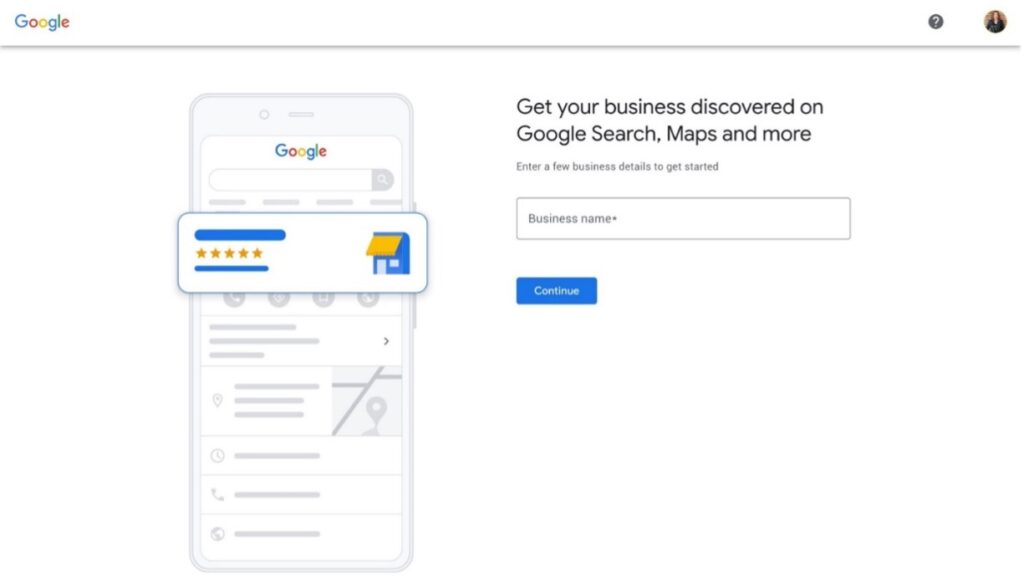
In many cases, Google has already created a basic profile for your business, even if you never set it up yourself. If that is true for you, the next step is to claim that profile so you can control and improve the information that appears.
Go to business.google.com/create and start typing your business name into the search bar. If your business shows up in the dropdown, select it. From there, you will move forward with claiming and managing that existing listing rather than creating a new one from scratch.
✅ Fill in your business name, category, phone number, and website
✅ Add high-quality photos of your location/products
✅ Post updates, offers, or events weekly
✅ Enable messaging to chat with customers directly
SEO Tip: Use keywords in your business description like “family-owned bakery in Colombus” or “Ohio-based marketing consultant.”
Pro Tip
To learn how to create, request access and manage your Google Business Profile, join Rockmybiz Guides for Small Businesses for free.
2. Get Consistent NAP Citations (Name, Address, Phone)
NAP stands for Name, Address, Phone Number. Have in mind that Google compares this information across the internet, so you need to be consistent. If your details differ from one website to another, even on small things like “Street” vs “St.”, Google may reduce your chances of appearing in a near me Google search because it isn’t confident which version is correct.
Your business info should be identical everywhere online, from your website, your social media channels, to directories and listings like Yelp, Bing Places, and TripAdvisor.
Tool Suggestion: Use Moz Local or BrightLocal to clean up and sync your listings.
 You might also like: 6 Reasons Why Writing Articles Can Help Improve Your Website’s SEO
3. Collect and Respond to Reviews
Google favors businesses with frequent, positive reviews.
Businesses with frequent, recent reviews tend to appear higher in near me Google search results because reviews signal trust and activity. When Google sees consistent engagement, it assumes your business is active and popular.
Even a few new reviews a month can boost your ranking.
 Ask happy customers to leave a review Always reply (even to the bad ones) with professionalism Thank reviewers using their name, it signals authenticity
Pro Tip
Use the Rockmybiz Review Booster to generate personalized review request messages for your customers.
4. Add Local Keywords to Your Website
Adjust your content and use terms that customers actually search for, such as:
- “best hair salon in Austin TX”
- “affordable accountant in Brooklyn”
- “Los Angeles dog groomer”
- “plumber near me Tampa FL”
- “Chicago freelance web designer”
Use these in your:
- Page titles & meta descriptions
- H1 headers
- Image alt tags
- Service pages
Tip: If you serve multiple areas, create dedicated landing pages like:
- /services/dallas-tx/
- /tax-prep/san-francisco/
These increase your chances of ranking for searches in each location
5. Create Local Content
Creating content that speaks directly to the audience in your area is one of the most effective ways to improve your visibility in near me Google search results. Google wants to show users businesses that understand and serve their local community, and your content is how you prove that.
Many small businesses skip this step, but it’s one of the easiest ways to stand out from bigger competitors who don’t tailor their content to specific locations.
When you publish content that mentions your city, neighbourhood, or region, you’re basically telling Google:
“I’m part of this community, show my business when people nearby search for what I offer.”
✅ Write blog posts or landing pages targeting your area such as:
-
“Top 5 coworking spaces in Denver for remote workers”
-
“How we helped a small business in Charlotte triple their Instagram reach”
-
“Why Phoenix is a great place to launch your Etsy shop”
-
“What local customers are saying about our bakery in Portland”
✅ Post ideas for service-based businesses:
-
“What to expect during your first chiropractic visit in Seattle”
-
“Our favorite local vendors for weddings in Miami”
These types of posts build trust, authority, and relevance, all essential for local SEO.
6. Build Local Backlinks
Backlinks are simply links from other websites pointing to yours and, for Google, are “votes of confidence”, as they tell it that your business is trustworthy.
When these links come from local websites, such as community blogs, local news sites, clubs, schools, or nearby businesses, they send an even stronger signal to Google that you’re relevant to the area. This helps you rank higher in near me Google search results.
You can get local backlinks by collaborating with nearby businesses, joining local directories, sponsoring events, writing guest posts, or being featured in local media. Even a few high-quality local backlinks can make a big difference.
It’s also important to know that not all backlinks are equal. The higher the authority of the website linking to you (for example, a well-known local newspaper or established organization), the more authority and trust your own site gains.
Google loves when other reputable local sites link to yours.
🔸 Ideas:
-
Sponsor a community event
-
Join a local chamber of commerce
-
Get featured in regional blogs or news outlets
7. Optimize for Mobile & Speed
Most near me Google searches happen on mobile. If your site loads slowly, has small text, or forces users to zoom in, Google may push you down the rankings. A fast, mobile-friendly website increases both user engagement and your visibility in local results.
🔸 So your site must be:
-
Fast (under 3 seconds load time)
-
Easy to navigate on small screens
-
Click-to-call enabled
Tool Suggestion: Use Google PageSpeed Insights to test your site.
8. Track Your Local SEO Success
Below are a few tools you can use to start monitoring your online prensence:
- Google Search Console – to monitor clicks from local searches
- Google Business Insights – to see how people find you
- Ubersuggest or Semrush – to track local keyword rankings
To conclude, local SEO isn’t just a good-to-have marketing tactic, it’s your lifeline to nearby customers. The best part? It’s low-cost and high-impact.
With just a few smart optimizations, you can put your business in front of people who are already searching for what you offer, right when they’re ready to act.
Mastering Local SEO isn’t complicated, it’s about giving Google the right signals so your business shows up when someone nearby searches for what you offer. Once your profile, website, and reviews are optimized, you’ll be perfectly positioned to dominate near me Google search results in 2026 and beyond.
FAQ – Quick answers on questions About Appearing on Local Google Search Results
What is a “near me Google search”?
A near me Google search is when someone searches for a business or service close to their physical location—for example, “coffee shop near me” or “plumber near me.” Google uses the searcher’s GPS position to show the closest, most relevant businesses.
Why isn’t my business showing up in near me searches?
The most common reasons include:
-
An incomplete or unverified Google Business Profile
-
Incorrect or inconsistent Name, Address, Phone (NAP) details
-
Lack of reviews or outdated photos
-
A website that isn’t mobile-friendly
-
Weak local SEO signals on your website
When any of these are missing, Google is less likely to trust your business for a near me Google search.
Do I need a Google Business Profile to appear in local search results?
Yes, absolutely.
Your Google Business Profile is the #1 factor that determines whether you appear in near me Google searches. Google uses this listing to validate your location, services, hours, and credibility.
How important are customer reviews for ranking locally?
Reviews play a huge role.
Businesses with more recent, positive reviews tend to appear higher in near me Google search results because reviews signal trust and activity. Responding to reviews (good or bad) also boosts ranking potential.
How important are customer reviews for ranking locally?
How can I improve my chances of showing up in near me searches quickly?
What is Local Schema Markup, and do I really need it?
Local Schema Markup is a small piece of code on your website that helps Google understand your business details more clearly.
You don’t need to be technical—many website builders support it.
It won’t rank you alone, but it increases your chances of showing up in near me Google search results by boosting your site’s clarity and credibility.
Are social media platforms important for local SEO?
Indirectly, yes.
Social media doesn’t directly affect rankings, but active profiles build trust, generate branded searches, and increase the likelihood that customers click your business in near me Google search results. Consistent branding across platforms also supports NAP consistency.
How long does it take to rank in near me searches?
Most businesses start seeing improvements in 2–8 weeks, depending on competition and how optimized their Google Business Profile and website are.
Local SEO is faster than traditional SEO because Google relies more heavily on proximity and business details.
Does paid advertising help with near me visibility?
Google Ads can place you at the top of local results instantly, but it does not replace the organic ranking signals needed to show up in near me Google search results.
Paid ads + strong local SEO = best visibility.
What type of businesses benefit the most from near me searches?
Any business serving local customers, including:
-
Cafés and restaurants
-
Salons and spas
-
Gyms and fitness studios
-
Retail shops
-
Medical clinics
-
Plumbers, electricians, and home services
If customers can walk or drive to you, then appearing in near me Google search results is essential.