You just finished a job. The client is smiling. They shook your hand. They said, “Wow, this looks amazing, thank you so much!”
You drive away feeling great. You check your phone, hoping to see that shiny new 5-star rating pop up on your profile.
Crickets.
Two weeks pass. Still nothing.
This is the most frustrating paradox of local business: Unhappy customers will write a review unprompted. Happy customers usually don’t. They need a nudge.
Getting 5-star ratings is a requirement for survival. If you want to rank higher on Maps and when people are looking for a service or product you offer near them, you need to get more Google reviews than your competitors. It’s that simple.
But how do you ask without feeling like you’re nagging? Here are 6 proven, free strategies to double your review count without making things awkward.
Tip 1: Remove the “Friction”; Just Use a Direct Link
Most business owners think customers don’t leave reviews because they don’t care. That’s rarely true. They don’t leave reviews because it takes too much work.
If your process requires them to search for your name, find the profile, and click three times, you have already lost them.
To get more Google reviews, you must make it effortless.
What to do: Create a direct link that opens the “Write a Review” box immediately.
How to do it: Go to your Google Business Profile dashboard → Click “Ask for reviews” → Copy the short URL (it usually looks like
g.page/r/yourbusiness).
Also you can check our step-by-step guide in our Rockmybiz Toolkit on where to find Review links for your properties
Tip 2: Target the “Dopamine Window”
Timing is everything. There is a tiny window of time where a customer is psychologically wired to say “Yes.” We call this the Dopamine Window.
For a Plumber: It’s the exact moment the water stops leaking.
For a Hairdresser: It’s when you spin the chair around to the mirror.
For a Realtor: It’s when you hand them the keys.
If you ask 3 days later via a generic email, the feeling is gone. If you want to get more Google reviews, you have to ask when they are still smiling.
 You might also like: How to Optimize Your Google Business Profile: A Weekly Maintenance Checklist
Tip 3: Send a Text, Not an Email
Unless you are strictly B2B, SMS wins every time.
Email Open Rates: ~20% (if you are lucky).
SMS Open Rates: ~98%.
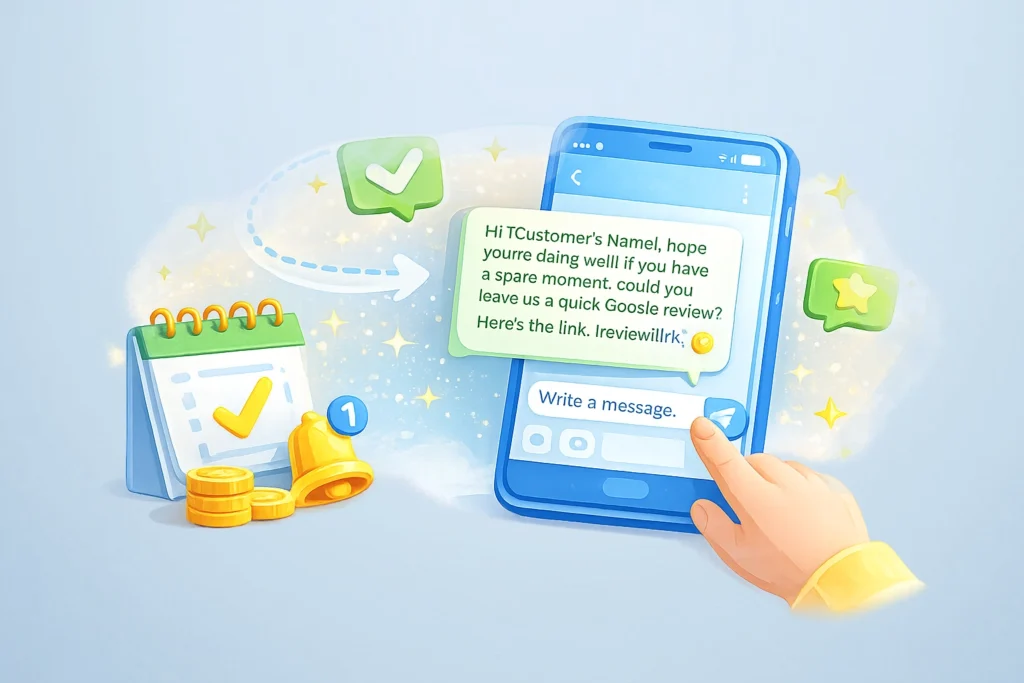
People ignore emails. People always check their texts. If you want a quick response, send that direct link via SMS or WhatsApp straight after the job. They can open the link directly from their phone and leave a review on the spot!
Tip 4: Use “Copy-Paste” Scripts (That Don’t Sound Robotic)
Don’t overthink the wording. Keep it short, human, and focused on them, not you. Here are two scripts you can use today to get more Google reviews:
Script A: The “In-Person” Follow Up (Service Pros)
“Hey [Name], thanks for choosing [Your Business Name] today! I’m glad we could get that fixed for you.
If you have 30 seconds, could you tap this link and leave a quick rating? It really helps a small local business like mine.
[Insert Your Direct Google Link]
Thanks! – [Your Name]”
Script B: The QR Code (Retail/Restaurants) If you have a physical counter, verbal asking is hard when there is a line. Use a QR Code on your receipt or counter.
The Hook: Don’t just write “Review Us.” Write: “Love your coffee? Scan to tell the world (and help us grow).”
💡 Struggle with what to say? Writing replies can be draining. We built a free tool, the Review Booster, that uses AI to write professional responses for you in seconds. It’s a great way to save time while managing your reputation.
Tip 5: Respond to EVERY Review
This is where most businesses fail. They get the review, and they ignore it.
Google explicitly states that responding to reviews helps your SEO. Plus, when you reply, you show future customers that you are active and appreciative. This social proof encourages new customers to leave feedback because they know you’ll actually read it.
If they leave 5 stars: Say thank you and mention a specific detail.
If they leave 1 star: Be cool, calm, and professional.
Tip 6: Avoid the “Danger Zone”
You might be tempted to take a shortcut. Don’t do it.
If you try to get more Google reviews by breaking the rules, Google will catch you and suspend your profile.
Do NOT buy reviews: They are easy to spot and will get deleted.
Do NOT offer bribes: You cannot say “Leave a 5-star review for $10 off.”
Do NOT “Gate” reviews: Don’t use software that filters out bad reviews. Google hates this.
Conclusion
You don’t need expensive software to build a 5-star reputation.
You just need to do great work, make it effortless for the customer (Direct Link), and ask at the right moment. Start today with your last 5 happy clients, and watch that star count rise.
Use the Review Booster in the Rockmybiz Toolkit to Get more Google reviews without awkward conversations
Frequently Asked Questions About Google Reviews
Is it against Google’s policy to ask for reviews?
No! Google actually encourages business owners to ask customers for feedback. They only have rules against how you ask. You cannot offer money, gifts, or discounts in exchange for a review, and you cannot “gate” reviews (asking people if they are happy first, and only letting the happy ones write a review).
Can I offer a discount or freebie to get more Google reviews?
echnically, no. Google’s policy states you cannot offer incentives for reviews. While some businesses do it, it is risky. If Google catches you, they can remove all your reviews or suspend your profile. It is safer to simply ask politely.
What should I do if I get a fake 1-star review?
It happens. First, reply professionally and clarify that you have no record of them as a customer. Then, log into your Business Profile, find the review, click the three dots, and select “Flag as inappropriate.” Google will review it, but be patient, they will only remove it if it clearly violates their content policies (like hate speech or spam).
Why are my new reviews not showing up?
Sometimes Google’s spam filter gets a little too aggressive. If a customer writes a review but it doesn’t appear, it might be because:
They included a URL or phone number in the review.
They reviewed you from your own Wi-Fi network (Google thinks you are doing it yourself).
They posted too many reviews for other places too quickly. Usually, you just have to wait a few days.
Can I delete a bad review from my profile?
No, business owners cannot delete reviews. If you could, nobody would trust the rating system! Your best defense against a bad review is to bury it with 10 positive ones. This is why having a strategy to get more Google reviews consistently is so important.